
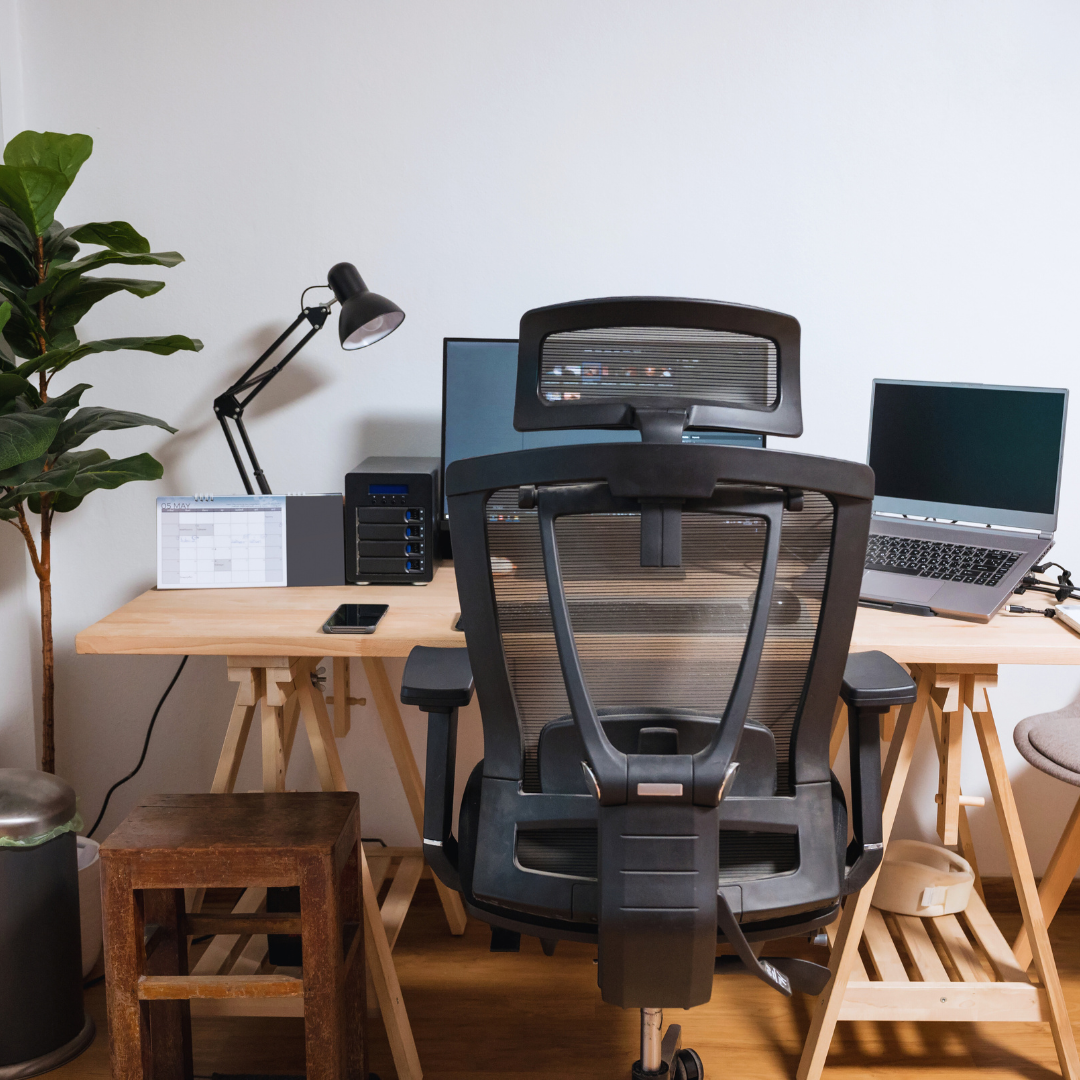
Boosting productivity while working from a laptop can often hinge on having the right tools at hand. Fun laptop accessories not only add a personal touch to a desk setup but can also significantly enhance efficiency and comfort. These accessories can transform a mundane workspace into an inspiring environment, making daily tasks feel less like a chore.
Whether it’s a stylish laptop stand that promotes better posture or quirky cable organizers that prevent clutter, the options are plentiful. Incorporating these elements creates a more inviting home office atmosphere, leading to improved focus and motivation. With the right accessories, individuals can optimize their work-from-home experience and achieve better results.
Essential Laptop Accessories for Productivity
Enhancing productivity often requires the right tools to create a comfortable and efficient workspace. Essential laptop accessories play a crucial role in improving ergonomics, expanding multitasking capabilities, and optimizing desk space.
Laptop Stands for Ergonomic Comfort
A laptop stand elevates the device to eye level, promoting better posture and reducing strain on the neck and eyes. This adjustment helps in maintaining an ergonomic position during long hours of work.
Many laptop stands are adjustable, allowing users to customize the height for optimal comfort. Some models also come with cooling features to prevent overheating, ensuring the laptop remains functional throughout the workday.
Choosing a portable stand can be beneficial for those who frequently move between different workstations or home office setups. Overall, integrating a laptop stand into a workspace can significantly enhance comfort and productivity.
External Monitors and Monitor Arms
External monitors expand screen real estate, allowing users to multitask effectively. They can enhance productivity by enabling side-by-side comparisons of documents or applications.
Using a monitor arm can free up desk space, allowing for a cleaner workstation. These arms also offer adjustable height and angle, contributing to better ergonomics while maintaining a neat setup.
Many external monitors support USB-C connectivity, which can simplify cable management and enhance data transfer speeds. The combination of an external monitor and a monitor arm creates an efficient workspace tailored to individual preferences.
Wireless Keyboards and Mice
Wireless keyboards and mice provide greater flexibility and mobility compared to their wired counterparts. Users can position them comfortably based on their setup, further promoting an ergonomic work environment.
Several wireless keyboards offer additional features, such as backlighting and ergonomic designs. This can help reduce wrist strain during prolonged use. Wireless mice typically come with customizable buttons, allowing for quick access to frequently used functions.
Selecting high-quality wireless accessories can reduce clutter on the desk while enhancing overall productivity. It allows users to create a functional and personalized workstation suited to their individual workflow.
Docking Stations and USB Hubs
Docking stations expand connectivity options, enabling multiple devices to connect seamlessly to a laptop. They often include additional USB ports, HDMI connections, or Ethernet ports to streamline various tasks.
USB hubs are essential for individuals with limited ports on their laptops. These hubs allow multiple devices, like flash drives, external hard drives, or printers, to be connected simultaneously.
Investing in a USB-C hub can significantly enhance productivity, especially for those who handle various peripherals. A well-organized docking station or hub minimizes the need to constantly plug and unplug devices, creating a smoother workflow in any home office setup.
Desk Accessories That Enhance Workflows
Effective desk accessories can significantly improve productivity and comfort while working. This section covers essential items, including desk lamps, cable management tools, and adjustable solutions that can transform a workspace into an efficient environment.
Desk Lamps and Eye Care Solutions
Proper lighting is crucial for any workspace. An LED desk lamp can reduce eye strain and enhance visibility. Features to consider include adjustable brightness levels and color temperature settings.
These lamps can be positioned to minimize glare on screens. Utilizing tools like blue light filters can further protect eyes during extended computer use. Investing in a desk lamp designed for eye care is essential for maintaining focus and comfort throughout the day.
Cable Management Tools
A tidy workspace leads to improved focus. Cable management tools can help organize cords and reduce clutter on the desk. Solutions include cable trays, clips, and sleeves that bundle cables together.
By keeping cables out of sight, they prevent distractions. This organization not only enhances aesthetics but also makes it easier to clean the desk space. Ensuring that everything has a designated spot can streamline the workflow in any home office.
Standing Desks and Adjustable Solutions
Standing desks promote better posture and health. They encourage movement and can help reduce the risks associated with prolonged sitting. An adjustable standing desk allows users to switch between sitting and standing positions easily.
This flexibility can lead to increased energy levels and productivity. Many models feature programmable settings, enabling users to find their ideal heights. Investing in a standing desk enhances both comfort and workflow efficiency in any workspace.
Tech Upgrades and Smart Add-Ons
Upgrading the laptop experience can significantly enhance productivity. Incorporating the right accessories maximizes efficiency and provides a more comfortable workspace. Key areas for improvement include audio quality, video enhancements, storage solutions, and connectivity options.
Headphones and Audio Accessories
Quality audio can make a substantial difference in focus and communication. Noise-canceling headphones are particularly effective in blocking distractions, allowing users to concentrate amid busy environments. Brands like Bose, Sony, and Sennheiser are noted for their exceptional noise-canceling technology.
In addition to headphones, portable speakers can enhance collaborative work. Options like the JBL Flip or Bose SoundLink are straightforward to pair with laptops and provide excellent sound quality for video calls or presentations.
For those who prefer wired connections, investing in a high-quality headphone jack adapter ensures compatibility across various devices, promoting versatile usage.
Webcams and Video Quality Enhancers
Video quality is essential for professional meetings and virtual collaboration. An external webcam, such as the Logitech C920 or Razer Kiyo, typically offers superior resolution and features compared to built-in options. These models often support 1080p streaming and include better lenses for clearer images.
Webcam accessories can further enhance the setup. Ring lights improve lighting conditions, contributing to better visibility during video calls. Adjustable mounts allow users to position the camera at the optimal angle, enhancing engagement.
Utilizing software enhancements like background blur or virtual backgrounds adds a polished touch to video conferencing, improving overall professionalism.
External Drives and Fast-Charging Options
External drives provide additional storage capacity for data-intensive tasks. It’s crucial to choose solid-state drives (SSDs) for faster performance compared to traditional hard disk drives (HDDs). Options such as Samsung T7 or SanDisk Extreme offer portability and speed, facilitating quick file transfers.
Fast-charging options, including USB-C hubs, can help reduce downtime. These hubs often feature multiple ports, allowing the connection of various devices while charging the laptop simultaneously.
Investing in a high-capacity power bank can also offer extended mobile usage, ensuring the laptop remains operational during long meetings or travel.
Adapters and Protection Solutions
Adapters are essential for connecting various devices and ensuring compatibility. USB-C hubs allow users to easily connect HDMI displays, Ethernet cables, and other peripherals. This flexibility is crucial for multitasking and improving workflow efficiency.
Protection solutions include laptop sleeves or hard cases to shield devices from physical damage. Brands like Thule and Inateck provide options that combine durability with style, ensuring laptops are safeguarded while remaining portable.
Screen protectors can prevent scratches and reduce glare, enhancing user experience during prolonged use. Investing in these upgrades not only protects the laptop but also contributes to better performance and usability.
Personalizing Your Workstation for Maximum Comfort
Creating a personalized workstation that promotes comfort can enhance productivity significantly. Key accessories, tailored to individual needs, can make a substantial difference. This section focuses on wireless chargers, essential accessories for remote workers and gamers, and optimizing setups for popular laptop brands.
Wireless Phone Chargers and Convenience Devices
Wireless phone chargers represent a practical addition to any workstation. They eliminate cable clutter and ensure devices are always powered. Many models support fast charging and have sleek designs that complement modern aesthetics.
Key Features:
- Compatibility: Most chargers work with various smartphones, including iPhones and Android models.
- Design: Consider a stand model that allows for easy access to notifications while charging.
- Placement: Position the charger within easy reach to maximize convenience during work tasks.
Investing in a reliable wireless charger can simplify the daily workflow and keep devices charged at all times.
Accessory Recommendations for Gamers and Remote Workers
For remote workers and gamers, certain accessories can enhance the experience. Ergonomic devices, like keyboards and mice, provide necessary comfort during long hours.
Essential Accessories:
- Ergonomic Mouse and Keyboard: Reduces strain and promotes better posture.
- Headset: For clear communication, consider a noise-canceling headset with a built-in microphone.
- Monitor Stand: Elevates screens to eye level, reducing neck and eye strain.
These accessories cater to specific needs, ensuring that both remote workers and gamers maintain productivity without sacrificing comfort.
Optimizing for Specific Brands: MacBook Pro, Dell, Lenovo
Different laptop brands offer unique characteristics; thus, optimizing accessories can enhance the user experience.
Brand-Specific Recommendations:
- MacBook Pro: Consider a USB-C hub for additional ports and connectivity options. A sleek laptop stand can also improve airflow and ergonomics.
- Dell: A docking station can expand connectivity and quickly transition from office to home use.
- Lenovo: Access to Lenovo’s ergonomic accessories, like the Lift Stand or a comfortable wrist pad, can provide tailored comfort.
Choosing the right accessories based on brand ensures that users maximize their workstations’ efficiency and comfort.